
8 Best AI Answer Service Picks for Law Firms (2026)

TL;DR
Most AI answer services pick up the phone. The best ones qualify leads, book consultations, sync data to your practice management software, and follow up. For law firms, Lawtté is the strongest overall option because it combines 24/7 AI reception with legal intake, case management, and lead nurture in one platform. Smith.ai is the top hybrid (AI plus human) alternative. LEX Reception and Answering Legal are the best choices for firms that want humans only.
Best AI Answer Services for Law Firms: Quick Comparison
| Service | Model | Starting Price | Best For | Legal Specialization | Main Tradeoff |
|---|---|---|---|---|---|
| Lawtté | Legal AI suite | $189/mo (75 calls) | Full-funnel AI intake and lead management | High | Confirm language/trial terms at onboarding |
| Smith.ai | AI + human hybrid | $95/mo (AI); $285/mo (human VR) | Mature hybrid provider with broad integrations | Moderate–High | Per-call pricing adds up with volume |
| LEX Reception | Human legal reception | $425/mo (150 min) | Legal-only human reception for AI-averse firms | High | Minute-based cost scales poorly |
| Answering Legal | Human legal reception | $330/mo (100 min) | Traditional after-hours legal answering | High | Not AI; volume creates large bills |
| Ruby | Human reception + chat | $245/mo (50 min) | Warm human answering for simple call flows | Moderate | Mixed reviews on billing and quality |
| Phonely | General AI phone platform | Free (100 min); $50/mo paid | Self-serve teams wanting configurable AI agents | Low–Moderate | Legal setup and QA are entirely on you |
| Dialzara | Budget AI receptionist | $29/mo (60 min) | Basic, low-cost AI call answering | Low–Moderate | Limited legal-specific reviews |
| AnswerConnect | Human-only answering | Varies | Firms that explicitly do not want AI | Low–Moderate | Not AI and not legal-specific |
What Is an AI Answer Service?
An AI answer service for law firms is a system that picks up inbound calls (and often chat and SMS), uses conversational AI to understand what the caller needs, collects qualifying information, routes urgent matters, books consultations on attorneys’ calendars, and logs everything into a CRM or practice management system.
It is not the same thing as a traditional answering service that takes messages, or a virtual receptionist service that uses live humans, or an IVR phone tree that forces callers to press buttons. Some AI answer services are standalone phone bots. Others, like a complete legal intake solution, span the full journey from first ring to signed retainer.
Here is how the terms break down:
- AI answer service / AI receptionist: Software answers the call using voice AI. No human in the loop unless escalation is triggered.
- Virtual receptionist: A live person (often remote) answers on behalf of the firm. Companies like Ruby and LEX Reception operate this way.
- Hybrid service: AI handles the initial call, then routes to a human when needed. Smith.ai offers this model.
- Legal answering service: A call center staffed by operators trained in legal scripts. Answering Legal is a good example.
- Legal AI suite: A platform that combines AI reception, intake qualification, calendar booking, CRM sync, case management, and outbound lead follow-up. This is where the category is heading.
Why Law Firms Are Switching to AI Answering Services
Three forces are pushing firms toward AI answer services: speed pressure, cost pressure, and coverage gaps.
Speed pressure is real. Hennessey Digital’s 2025 study analyzed over 1,300 law firm websites and 150,000 data points. It found that only 25% of firms responded to online leads in under five minutes, while 26% never responded at all. Phone remains the dominant response channel, with 87% of responding firms using phone calls to follow up (source). When a potential client calls your firm at 9 p.m. after a car accident and nobody answers, they call the next firm on the list.
There is measurable ROI. According to a 2024 legal trends report cited by MyCase, 33% of law firms gained one to two additional leads per week by using virtual receptionist services, and 43% saved one to five hours per month (source). Those numbers come from basic reception. AI answering services that also qualify leads and book consultations should move the needle further.
Hiring does not solve coverage. The Bureau of Labor Statistics reports that the median hourly wage for receptionists was $17.90 in May 2024, with roughly 128,500 openings projected each year over the 2024 to 2034 decade (source). One in-house receptionist cannot cover nights, weekends, holidays, simultaneous calls, lunch breaks, court appearances, and marketing spikes. AI answer services are best understood as coverage layers rather than simple replacements.
The Best AI Answer Services for Law Firms
1. Lawtté
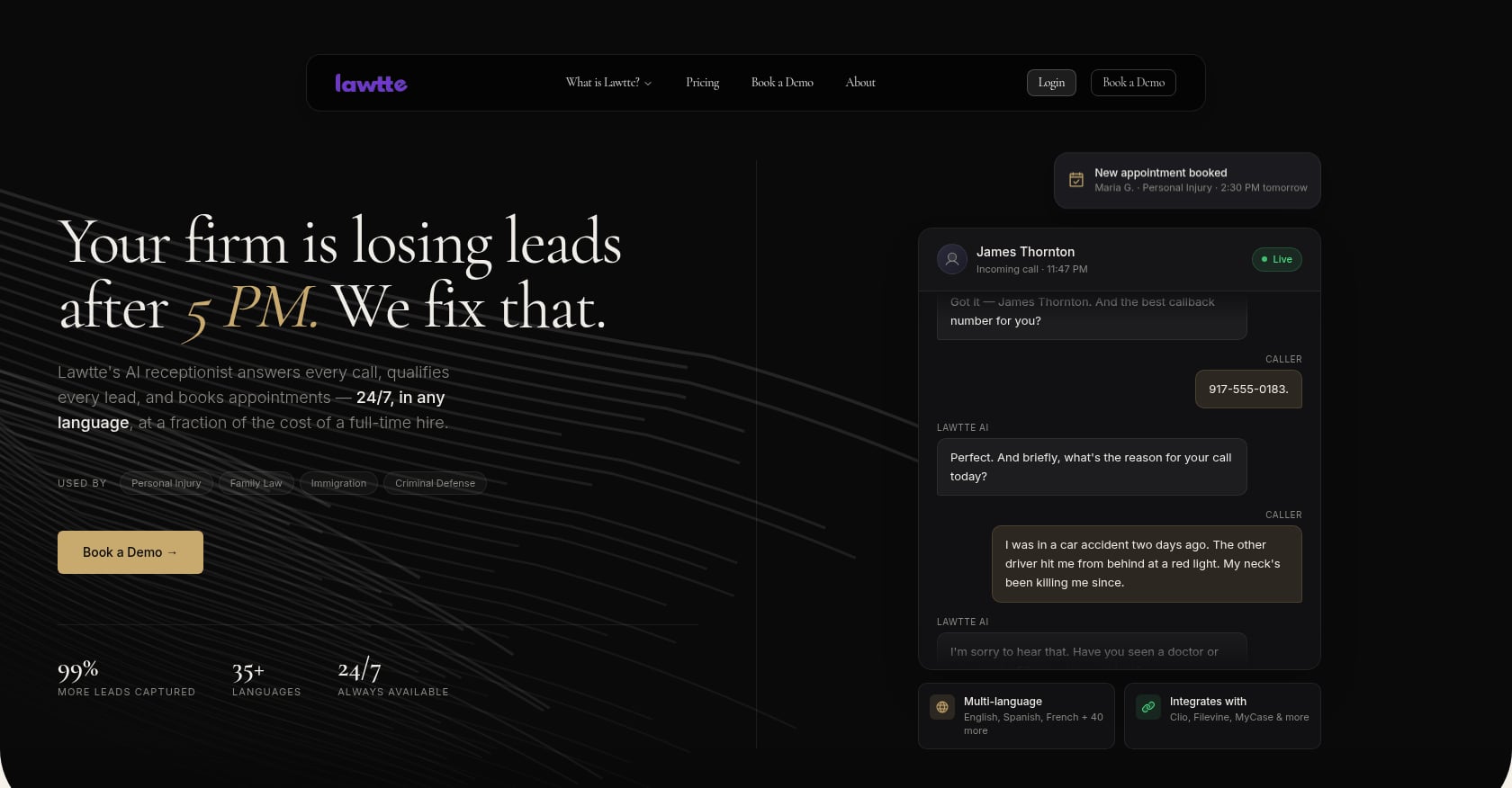
Best for: Law firms that want an AI answering service built around the full legal intake and lead-management workflow, including 24/7 reception, qualification, routing, consultation booking, CRM/PMS sync, multilingual intake, outbound lead nurture, and case-status automation.
Pricing:
- Concierge (AI Receptionist): starts at $189/month for Solo with 75 calls/month (roughly 225 minutes)
- Link (AI Case Manager): $499/month
- Scale (AI Lead Management): $499/month for 205 outbound calls/month (roughly 410 minutes)
- Overages: $0.80/minute
- Bundles: 10% off for two products, 15% off for all three
- Annual billing saves 20%
- Risk-free period available (pricing page references a 14-day money-back guarantee; TOS mentions a 30-day money-back guarantee; confirm current terms during onboarding)
Key features:
- 24/7 AI answering across phone, chat, and SMS with no IVR trees
- Legal intake and lead qualification with practice-area-specific screening
- Calendar sync and instant consultation booking
- Multilingual support (public messaging varies between 10+, 35+, and 40+ languages; confirm configured languages at onboarding)
- Spam call filtering and smart routing
- Integrations with Clio, Filevine, MyCase, CasePeer, Lawmatics, PracticePanther, Litify, Slack, Teams, Outlook, and HubSpot
- Link AI Case Manager for case updates, document retrieval with semantic search, status sync, and deadline/statute-of-limitations monitoring
- Scale AI Lead Management with outbound dialer (100+ calls/hour, TCPA-compliant), welcome-to-close sequences, retargeting, and PI-specific DEC letter and medical-record follow-up
- End-to-end call encryption, protected OpenAI integration, continuous monitoring; TOS states data is not used to train models
- API-first platform with 37 REST endpoints
What users say:
Client-supplied materials cite outcomes such as a 45% increase in qualified leads and a 38% conversion lift in testimonial-style reports. Artificial Lawyer featured a product walkthrough and live demo with Lawtté’s founders in January 2025, noting natural responses and language switching. Direct Reddit discussion of Lawtté specifically is limited at this stage, so prospective buyers should request a personalized demo to evaluate the platform against their own workflows.
Tradeoffs:
- Language support claims vary across pages; verify what languages are active for your account
- Trial and money-back terms are inconsistent in public materials; confirm before signing
- AI may require escalation for edge cases or callers who strongly prefer humans
- No public SOC 2 attestation listed; security-conscious firms should request documentation and BAAs
Bottom line: Lawtté is the best overall AI answer service for law firms because it does not stop at answering calls. It qualifies leads, books consultations, syncs data into your legal software, manages outbound follow-up, and tracks case deadlines. For firms spending on SEO, PPC, or LSAs, an unanswered or poorly handled call is not an operations issue. It is a revenue leak. Lawtté is designed to close that gap.
Book a personalized demo to test it against your intake workflow.
2. Smith.ai
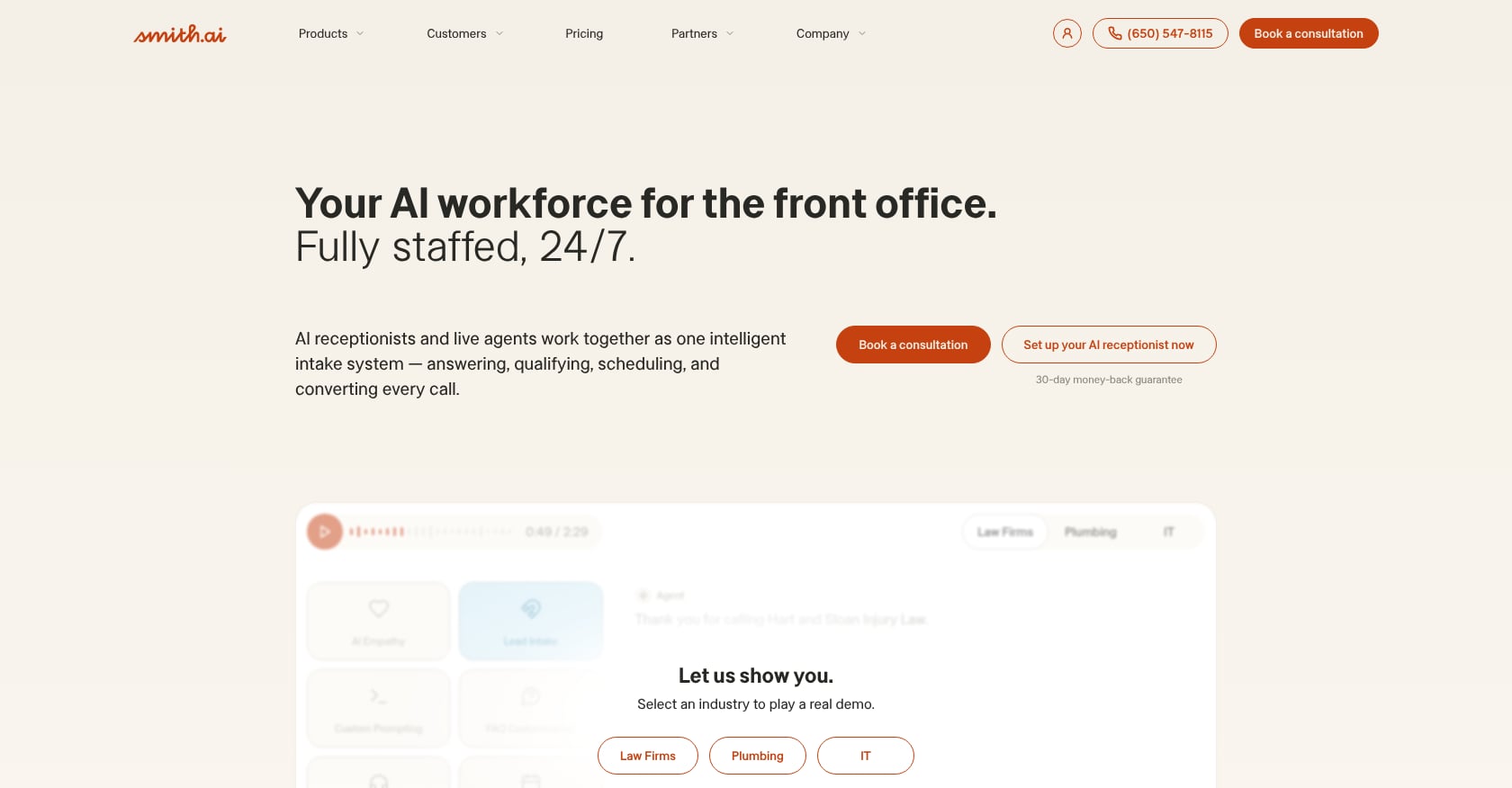
Best for: Law firms that want a well-established hybrid provider with AI receptionist options, human virtual receptionists, web chat, outreach campaigns, calendar booking, and broad software integrations.
Pricing:
- Self-service AI Receptionist: starts at $95/month (billed monthly), with overages at $2.40/call
- “Done for you” annual AI plans: start at $500/month (billed annually)
- Human Virtual Receptionist Starter: $285/month for 30 calls, with additional conversations at $10.50 each (per MyCase comparison)
- Voice Assistant Starter: $97.50/month for 30 calls (per MyCase comparison)
- Self-service tier does not include dedicated AI solutions experts, dedicated customer success, or custom integrations
Key features:
- AI Receptionist and human virtual receptionists
- AI-to-human escalation
- Call summaries and dashboard
- Appointment booking
- Spam and sales call screening
- Web chat and outreach campaigns
- Integrations with Clio Grow, Clio Manage, Filevine, Lawmatics, MyCase, HubSpot, Calendly, CallRail, Slack, Zapier, and more
What users say:
G2 lists Smith.ai’s AI Receptionist at 4.7 out of 5 from 21 reviews, with legal services users praising support and workflow integration while noting some callers prefer speaking to a human. The human Virtual Receptionists product holds 4.9 out of 5 from 73 reviews on G2, though one attorney noted that not always getting the same person makes service “hit or miss.” Practitioners on Reddit are split: some attorneys say Smith.ai is excellent for screening and filtering telemarketers, while others complain about per-call pricing and rotating receptionists.
Tradeoffs:
- Per-call billing gets expensive with repeat callers, spam, or high-volume marketing campaigns
- Hybrid and human service quality varies by agent
- AI may turn off some callers
- Self-service AI plans lack custom integrations or dedicated support
- Firms with complex intake may still need significant staff involvement
Bottom line: Smith.ai is a strong hybrid alternative with the largest review footprint among legal answering services. The combination of AI and human receptionists is appealing. But model your actual call volume carefully before committing, because per-call pricing can punish successful marketing.
3. LEX Reception
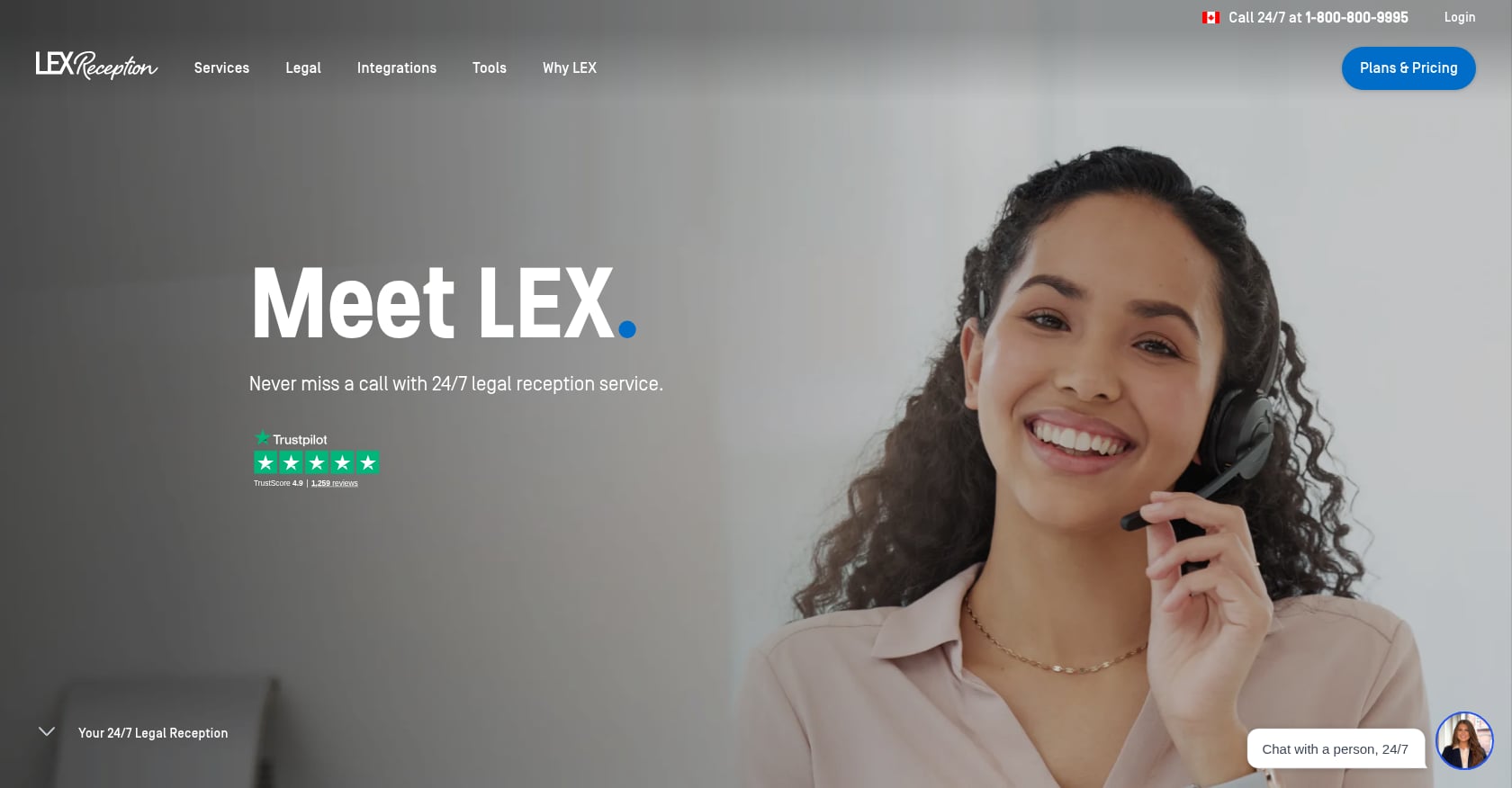
Best for: Law firms that want 100% human legal reception, including inbound and outbound support, live chat, appointment scheduling, and legal intake, without relying on AI.
Pricing (per MyCase comparison):
- Entry: $425/month for 150 minutes, $2.75/additional minute, $75 setup fee
- Best Value: $450/month for 300 minutes, $2.25/additional minute
- Growth: $775/month for 500 minutes, $2.25/additional minute
- Interactions rounded up to the nearest minute; first 30 interactions under 30 seconds are free each billing cycle
Key features:
- 24/7/365 legal receptionist availability
- Inbound and outbound call handling
- Overflow and after-hours answering
- Lead qualification and live transfer
- Live chat and mobile app
- English/Spanish bilingual reception
- CRM integration (including MyCase)
What users say:
Practitioners on Reddit speak well of LEX. One attorney reported testing Smith.ai, Ruby, in-house staff, and Upwork workers before settling on LEX, paying under $2,000/month with clients complimenting the firm’s “team.” Another user shared that LEX helped them scale from juggling five to seven calls per day to handling 20 or more daily. Capterra lists LEX at 5.0 out of 5, though from only three reviews.
Tradeoffs:
- Not an AI answer service; better framed as the human alternative
- More expensive than AI-first tools at higher volumes
- Minute-based pricing means volume spikes raise costs quickly
- Human-only services cannot match the concurrency, outbound automation, or case-system automation of an AI suite
Bottom line: LEX Reception is the strongest human-only legal receptionist option. It belongs on this list because many firms searching for an AI answer service are actually comparing AI against human reception. If your clients are in emotionally sensitive practice areas like family law and you are not yet comfortable with AI, LEX is a reliable starting point.
4. Answering Legal
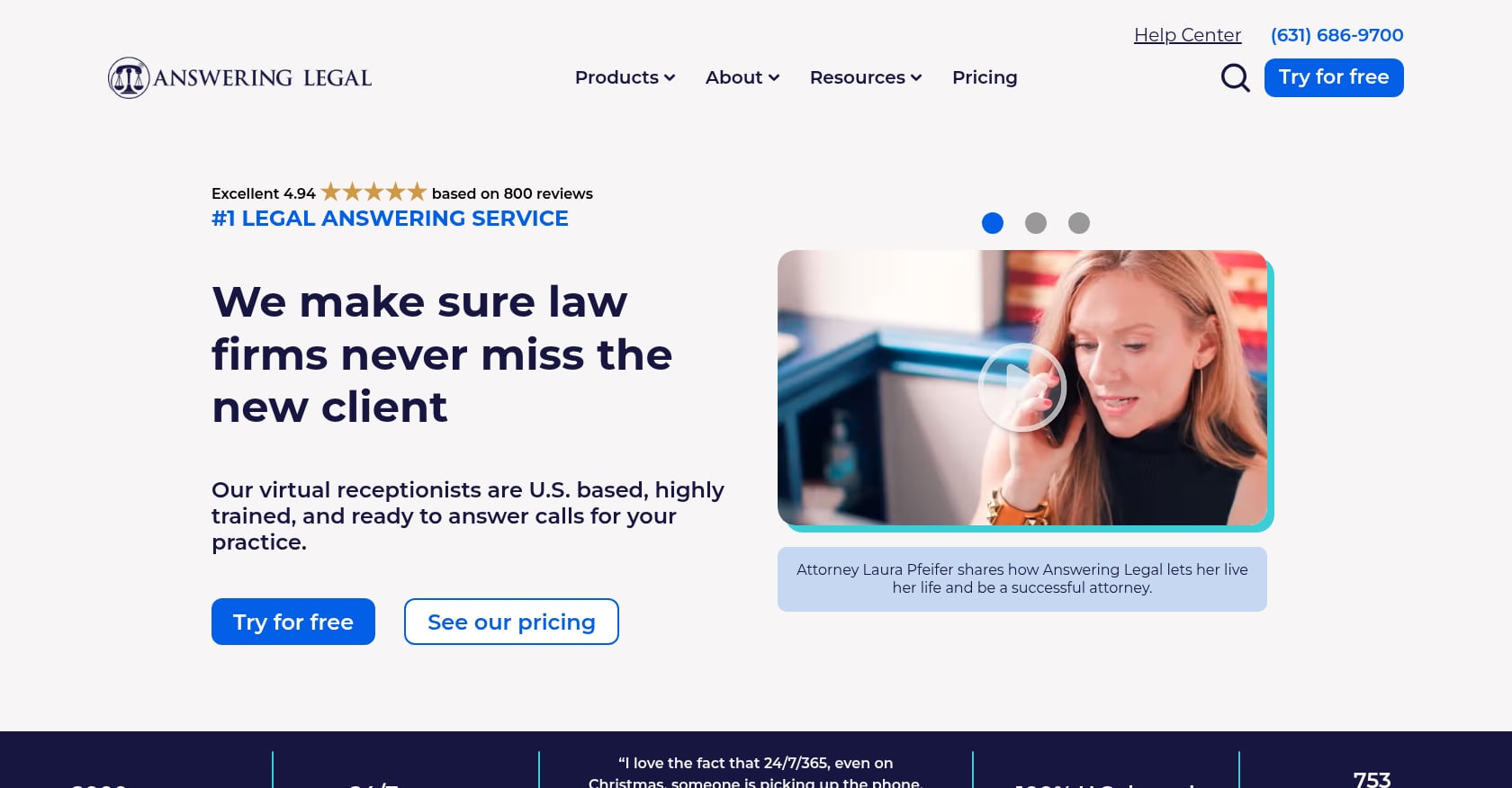
Best for: Law firms that want a legal-only human answering service with 24/7 coverage, legal intake, message-taking, bilingual support, and basic CRM sync, especially for traditional after-hours coverage.
Pricing (per MyCase comparison):
- 100 minutes: $330/month
- 150 minutes: $479/month
- 200 minutes: $616/month
- 250 minutes: $737/month
Key features:
- 24/7/365 live call answering
- Overflow and after-hours calls
- Call forwarding and message taking
- Lead capture and legal intake
- Appointment scheduling
- Google Screened integration
- Mobile app
- English/Spanish bilingual reception
- CRM integration
What users say:
A Reddit attorney who used Answering Legal said the service “more than paid for itself” because prospective clients did not hang up when nobody answered. They also praised the ability to set specific transfer rules for criminal-defense emergencies after 10 p.m. Another Reddit user said Answering Legal “does what I need when I can’t answer myself,” while a third warned that high call volume created a large bill. Reviews.io lists 230 genuine customer reviews for the company.
Tradeoffs:
- Human-only, not AI-first
- Pricing rises with minutes, and high volume gets expensive fast
- Some community users mention wait-time or billing concerns
- Better for answering and basic intake than advanced AI lead nurture or case movement
- May require very detailed scripts to prevent wrong routing or incomplete intake
Bottom line: Answering Legal is a safe, familiar choice for firms that want legal-specialized human operators. It works well for criminal defense after-hours calls and similar overflow scenarios, but it should not be confused with a full AI answering service.
5. Ruby
Best for: Solo and small firms that want friendly human reception, call screening, scheduling, bilingual answering, and live chat, especially when call flows are simple and warm tone matters most.
Pricing (per MyCase comparison and Ruby’s public pricing page):
- $245/month for 50 minutes
- $385/month for 100 minutes
- $705/month for 200 minutes
- $1,695/month for 500 minutes
- Ruby states it uses transparent, inclusive pricing with no hidden fees for activation, onboarding, setup, customization, or coverage
Key features:
- Human virtual receptionists
- 24/7/365 phone and website coverage
- Call answering, transferring, and forwarding
- Live chat
- Appointment scheduling and payment processing
- Outbound calling
- Lead capture and mobile app
- English/Spanish bilingual reception
What users say:
G2 lists Ruby Receptionists at 3.8 out of 5 from 12 reviews. A positive reviewer praised responsive support and receptionists trained to sound like internal employees, but noted setup took two to three weeks of trial and error. A negative reviewer said service quality declined and clients were frustrated by scant or incorrect messages. Another law-firm reviewer raised concerns about confusing billing practices. On Reddit, users often describe Ruby as warm and professional, but several warn it becomes pricey and struggles with complex workflows.
Tradeoffs:
- Human warmth is a real strength, but consistency can vary
- Gets expensive quickly as call volume grows
- Less ideal for complex legal intake with detailed branching scripts
- Not primarily an AI answer service
- G2 reviews show billing and quality concerns worth considering
Bottom line: Ruby is the right choice for firms whose primary concern is a warm, polished voice on simple calls. It is not the best fit for firms that need AI intake depth, high concurrency, or automated lead management.
6. Phonely
Best for: Firms or consultants that want a configurable AI phone agent platform with low starting cost, free testing, concurrent calls, analytics, API and integration options, and self-serve setup.
Pricing (from Phonely’s pricing page):
- Free: $0/month with 100 free minutes
- Starter: $50/month billed monthly, or $33/month billed annually
- Professional/Pro: $150/month billed monthly, or $100/month billed annually
- Enterprise: as low as $0.05/minute
- Overages: $0.25 to $0.30/minute depending on plan and billing cycle
- Note: Phonely’s pricing page shows some inconsistent included-minute numbers across sections; verify current terms before purchasing
Key features:
- Free plan for testing
- AI builder and premium voices
- Email/SMS notifications
- Spam filtering
- Transcript and AI analytics
- AI SMS
- Advanced API integrations and CRM integrations
- Unlimited concurrent calls
- Call transfer and routing
- A/B testing
- Enterprise HIPAA BAA and SOC 2/GDPR references on the pricing page
What users say:
Direct law-firm user sentiment for Phonely is limited in the sources reviewed. A Reddit discussion about related AI claims warned readers to treat job-replacement and accuracy statistics skeptically when they come from company announcements rather than independent verification.
Tradeoffs:
- General AI phone platform, not legal-first
- Self-serve setup means the firm owns script quality, legal guardrails, and compliance
- Not enough public legal-specific reviews to draw firm conclusions
- Internal pricing inconsistency around included minutes
- Best for technically comfortable teams, not firms wanting a fully configured legal intake operation out of the box
Bottom line: Phonely is a solid general AI phone platform with a generous free tier. But for law firms, it ranks below legal-specialized solutions because the burden of designing intake logic, escalation rules, and legal safeguards falls entirely on you.
7. Dialzara
Best for: Small firms that want a low-cost AI receptionist for basic message-taking, simple qualification questions, and after-hours coverage on a tight budget.
Pricing (from Dialzara’s pricing page):
- Business Lite: $29/month
- Includes up to 60 minutes of talk time
- 7-day free trial
- No contract; cancel anytime
- Self-editable prompt and message taking with custom questions
Key features:
- AI receptionist
- 7-day free trial
- No contract
- Self-editable prompt
- Message taking with custom questions
- Included talk time
What users say:
No strong law-firm-specific review pattern surfaced on G2, Capterra, or Reddit during research. Treat Dialzara as a budget option with a user-sentiment caveat, not as a proven legal intake leader.
Tradeoffs:
- Not legal-specialized based on accessible research
- Very low starting price likely means less hands-on implementation support
- Included minutes are limited (60 per month)
- Buyer must test legal nuance, escalation, and CRM/PMS handoff carefully
- Better for basic answering than complex intake or conversion-focused legal workflows
Bottom line: Dialzara is the low-cost entry point in this category. For firms with serious paid lead flow, it is probably too thin. For a solo practitioner who just wants after-hours message capture at minimal cost, it could be worth a trial.
8. AnswerConnect
Best for: Firms that want 24/7 human answering and explicitly do not want AI or bots involved in any part of the call.
Pricing:
- Pricing varies by plan; not published in a single public table during research
- G2 describes AnswerConnect as “No bots. No AI.”
Key features:
- 24/7 live call handling
- Appointment booking
- Lead qualification
- Customer question handling
- Human-only positioning
What users say:
G2 lists AnswerConnect at 4.5 out of 5 from 23 reviews. Trustpilot shows 4.9 from 1,422 reviews, with common praise for staff professionalism, onboarding support, and script flexibility. Some reviewers mention billing practices and call rounding as concerns.
Tradeoffs:
- Not an AI answer service at all
- Not law-specific in the way that LEX Reception or Answering Legal are
- May require careful legal scripting
- Human-only pricing scales poorly with volume
- Better as a fallback alternative than a core recommendation for this keyword
Bottom line: AnswerConnect is included for completeness. If you searched for an AI answer service and realized you actually want zero AI involvement, AnswerConnect is a well-reviewed human-only option. Just be sure to build strong legal scripts.
How to Choose an AI Answer Service for Your Law Firm
Picking an AI answering service is not like picking a phone plan. The wrong choice can cost cases, frustrate potential clients, and create compliance headaches. Use these seven questions as a buying framework.
1. Does it answer every call immediately, including simultaneous calls?
This is the baseline. If the service cannot handle multiple inbound calls at the same time (during a marketing push or a news story), callers go to voicemail. Most AI services can handle concurrent calls; most human services cannot without large teams.
2. Can it follow practice-area-specific intake logic?
A personal injury call requires accident date, injuries, treatment status, insurance, and liability details. A family law call might involve custody urgency, domestic violence screening, and court dates. A generic greeting with name-and-number capture is not intake. It is message-taking.
3. Can it book consultations directly?
Calendar booking eliminates the back-and-forth phone tag that kills conversion. The best services sync with your calendar and offer available time slots to the caller in real time.
4. Can it route emergencies to the right person?
A criminal defense firm needs after-hours arrest calls forwarded immediately. An immigration firm needs calls about ICE notices escalated. If the AI cannot distinguish urgency levels and route accordingly, it is a liability.
5. Can it sync with your CRM or PMS without double entry?
Integrations with Clio, Filevine, MyCase, CasePeer, and other legal tools are not optional for growth-focused firms. If every call creates a manual data-entry task, the time savings disappear.
6. Can it protect sensitive client data?
Clio’s 2025 Legal Trends Report warns that generic, non-legal AI tools can create risks around data privacy and hallucinations, and notes that free tiers may lack confidentiality guarantees (source). Ask your vendor: Is data used for model training? Are calls encrypted? Can the firm control escalation rules? Can the AI avoid giving legal advice?
7. Can you audit calls, transcripts, and conversion metrics?
If you cannot review what the AI said to a caller, you cannot improve intake quality or catch problems. Transcript access and analytics are non-negotiable.
AI vs. Human vs. Hybrid Answering Services
The debate is not “AI or human.” It is “which model fits your firm’s volume, budget, practice areas, and client expectations.”
| Model | Best For | Strength | Weakness |
|---|---|---|---|
| AI-only | Low budget, high concurrency, after-hours capture | Instant, scalable, consistent | Caller trust issues, edge-case risk |
| Human-only | Sensitive callers, firms not ready for AI | Warmth and human judgment | Cost, inconsistency, limited concurrency |
| Hybrid | Most firms with serious lead flow | AI scale plus human escalation | Higher complexity and cost |
| Legal AI suite | Growth-focused firms | Intake plus CRM plus lead nurture plus case movement | Requires onboarding and workflow design |
Practitioners on Reddit consistently reinforce a nuanced view. One user in r/LawFirm wrote that if they were a potential client and AI answered the phone, they would hang up. Another preferred voicemail over an obvious AI. But human answering services get criticized too: attorneys report generic scripts, inconsistent agents, wrong routing, poor empathy, and expensive pricing models. One attorney said basic answering services are fine for message-taking but “useless” for intake beyond basic calls.
The takeaway: the best AI answer service is not the one that sounds most human. It is the one that knows when not to keep talking and when to bring a human into the conversation.
Pricing Traps to Watch Before You Sign Up
AI answer service pricing looks simple on the surface. It rarely stays that way. Reddit attorneys repeatedly flag billing surprises that vendor sales pages never mention. Here is what to check.
Per-call vs. per-minute: Per-call models charge for every inbound call, even if it lasts five seconds. Per-minute models charge for actual talk time but can become expensive on long intake calls. Know which model your provider uses and calculate your true monthly cost.
Repeat-call billing: A lead who calls three times before their consultation may cost you three separate charges. One Smith.ai user on Reddit warned that a lead calling five times could create a $50+ cost.
Spam-call billing: If spam calls are billable, a popular phone number can drain your plan. Ask whether the service filters spam before billing.
Rounding rules: Some services round calls up to the nearest minute. Some round up to the next billing increment. A 15-second call that costs one full minute adds up fast.
Transfer and post-transfer minutes: Some platforms charge for the time a caller spends on hold during a transfer, plus the minutes after the transfer. Phonely’s pricing page explicitly describes how post-transfer minutes can create telephony costs, which is a useful example of a charge many buyers do not think to ask about.
Setup and integration fees: Some services charge for onboarding, CRM integrations, or custom call flows. Others include them. Ask.
Expiring unused minutes: If your plan includes 200 minutes and you use 150, do the remaining 50 roll over? Many plans forfeit unused time monthly.
After-hours and bilingual surcharges: 24/7 coverage and multilingual calls are sometimes included, sometimes extra. For immigration firms needing multilingual intake, this distinction matters.
Annual commitments: Annual billing often saves 15 to 20%, but locking in for a year with an untested service is risky. Start monthly if you can.
How to Test an AI Answering Service Before You Buy
Do not evaluate an AI answer service based on the vendor’s demo call, where a friendly voice handles a simple FAQ. Test it with the messy, emotional, ambiguous calls that real legal callers make.
The 10-Call Pilot Test
Run these test calls from unknown numbers during different times of day:
- Simple PI lead: “I was in a car accident last week.”
- Complex PI lead: “I was in an accident but I think I might have been partly at fault.”
- Spanish-speaking immigration caller: Caller speaks only Spanish and asks about a visa problem.
- Family law emergency: “My spouse took the kids and I need help tonight.”
- Criminal defense after-hours: “I was arrested, but I don’t know the charges.”
- Existing client requesting case status: “I’m already a client, I need an update on my case.”
- Opposing counsel or court call: “This is Judge Thompson’s clerk calling about a hearing.”
- Spam or solicitor: “Hi, I’m calling about your Google listing.”
- Caller asking for legal advice: “Can you tell me if I have a case?”
- Caller who refuses AI: “I don’t want to talk to a robot. Get me a real person.”
Practitioners on Reddit emphasize this point: most services can collect a name and number but “fall apart” when a caller does not fit cleanly into intake categories. One user recommended simplifying the qualification flowchart into six to ten yes/no questions and defining exactly when to transfer, book, or politely decline.
Score each call on:
- Time to answer
- Tone and empathy
- Correct issue classification
- Required intake questions asked
- Unauthorized legal advice avoided
- Correct escalation or human handoff
- Consultation booked or clear next step communicated
- CRM/PMS record created
- Summary and transcript accuracy
- Overall caller experience
If a service cannot pass at least eight of ten calls cleanly, it is not ready for your firm.
Practice Areas Need Different Intake Logic
A one-size-fits-all AI script will not work across practice areas. The qualification questions, urgency signals, and routing rules differ significantly.
- Personal injury: Accident date, injuries, treatment status, insurance info, police report, liability questions, prior injuries. PI-specific intake also involves DEC letters and medical record follow-up at scale.
- Family law: Children involved, custody urgency, domestic violence screening, court dates, asset questions, jurisdiction.
- Immigration: Status type, deadlines, government notices, language needs, family members, USCIS form references.
- Criminal defense: Charges, arrest date, court date, bond status, prior record, urgency level.
- Estate planning: Estate size, goals, family structure, timeline. Estate planning intake is lower urgency but still requires structured qualification.
- Employment: Employer name, timeline, protected category, retaliation claims, wage issues, documentation.
- Bankruptcy: Debt type, garnishment status, creditor calls, financial emergency level.
The best AI answer services let you configure practice-area-specific intake flows rather than forcing every caller through the same script.
Final Recommendation
If your firm only needs someone to take messages, a traditional legal answering service is probably enough. But if you want every call answered, every lead qualified, every consultation booked, and every intake record synced into your legal workflow, you need a legal-specific AI answer service.
For that use case, Lawtté is the strongest overall recommendation. It combines AI virtual reception with legal AI intake, lead management, outbound follow-up, and case-workflow automation in one platform. The pricing starts at $189/month, integrations cover the major legal PMS and CRM tools, and the platform is built specifically for law firm workflows rather than adapted from a generic call-center product.
Smith.ai is the best hybrid alternative for firms that want a mix of AI and human receptionists with a proven review track record.
LEX Reception and Answering Legal are the strongest human-only options for firms that are not ready for AI or serve clients who strongly prefer speaking to a person.
Phonely and Dialzara are worth exploring if budget and self-serve configuration are your priorities, but expect to do the legal intake design work yourself.
The category is moving fast. What used to be called an “answering service” is becoming a front-office operating layer that handles reception, intake, booking, data sync, and follow-up. The firms that treat it that way will convert more of the leads they are already paying to generate.
Book a demo with Lawtté to see how it handles your firm’s specific intake scenarios.
FAQs
What is an AI answer service?
An AI answer service uses conversational artificial intelligence to answer inbound phone calls, qualify callers, capture information, and route or book appointments. For law firms, it replaces or supplements traditional answering services by handling legal intake questions, syncing data to practice management software, and operating 24/7 without staffing constraints.
Will callers hang up if AI answers the phone?
Some will. Practitioners on Reddit and G2 reviewers report that certain callers react negatively to AI. The solution is not to hide the AI but to ensure it sounds natural, asks relevant questions, and can escalate to a human quickly. A legal AI answer service with clean human handoff handles this better than one that tries to force every call through automation.
Can an AI receptionist give legal advice?
No, and it should not. A properly configured AI answer service collects facts, qualifies the caller’s situation, and books a consultation. It should never make legal judgments, predict outcomes, or advise callers on their rights. Firms should verify that their provider has guardrails preventing unauthorized legal advice.
How much does an AI answering service for law firms cost?
Pricing ranges widely. Budget AI receptionists start around $29/month with limited minutes. Legal-specialized AI suites like Lawtté start at $189/month. Human virtual receptionists for law firms typically start between $245 and $425/month. Hybrid services like Smith.ai start at $95/month for AI-only and $285/month for human reception. Always check for overage rates, setup fees, and expiring minutes.
Is AI cheaper than a human receptionist?
Usually, yes. The Bureau of Labor Statistics reports a median receptionist wage of $17.90/hour, which does not include benefits, training, or coverage for absences. An AI answer service handles concurrent calls around the clock at a fixed monthly cost. However, “cheaper” only matters if the AI can actually convert calls into qualified consultations.
What is the difference between an AI receptionist and a virtual receptionist?
An AI receptionist is software that uses voice AI to handle calls. A virtual receptionist is a live human working remotely. Some services (like Smith.ai) offer both. The distinction matters because AI scales better and costs less per call, but humans handle emotional nuance and unpredictable conversations more naturally.
Can AI answering services integrate with Clio, Filevine, or MyCase?
Many can. Lawtté integrates with Clio, Filevine, MyCase, CasePeer, Lawmatics, PracticePanther, and Litify. Smith.ai integrates with Clio Grow, Clio Manage, Filevine, Lawmatics, MyCase, and others. Not all providers include integrations at every pricing tier, so confirm whether your plan covers the connections you need.
What questions should I ask before signing up for an AI answer service?
Start with these: Can I test the service with real legal call scenarios? Are spam and repeat calls billable? Are integrations included or extra? Can I review call recordings and transcripts? Does the AI avoid giving legal advice? Is my data encrypted and excluded from model training? What happens when the AI cannot handle a call? How quickly can I escalate to a human?
Bring Lawtté to your firm.
Walk us through your intake and case workflow — we'll have your AI live in 14 days.
Book a Demo →

 30 minutes
 Built around your practice
 No generic slide deck